
No products
Prices are tax included
Product successfully added to your shopping cart
There are 0 items in your cart. There is 1 item in your cart.

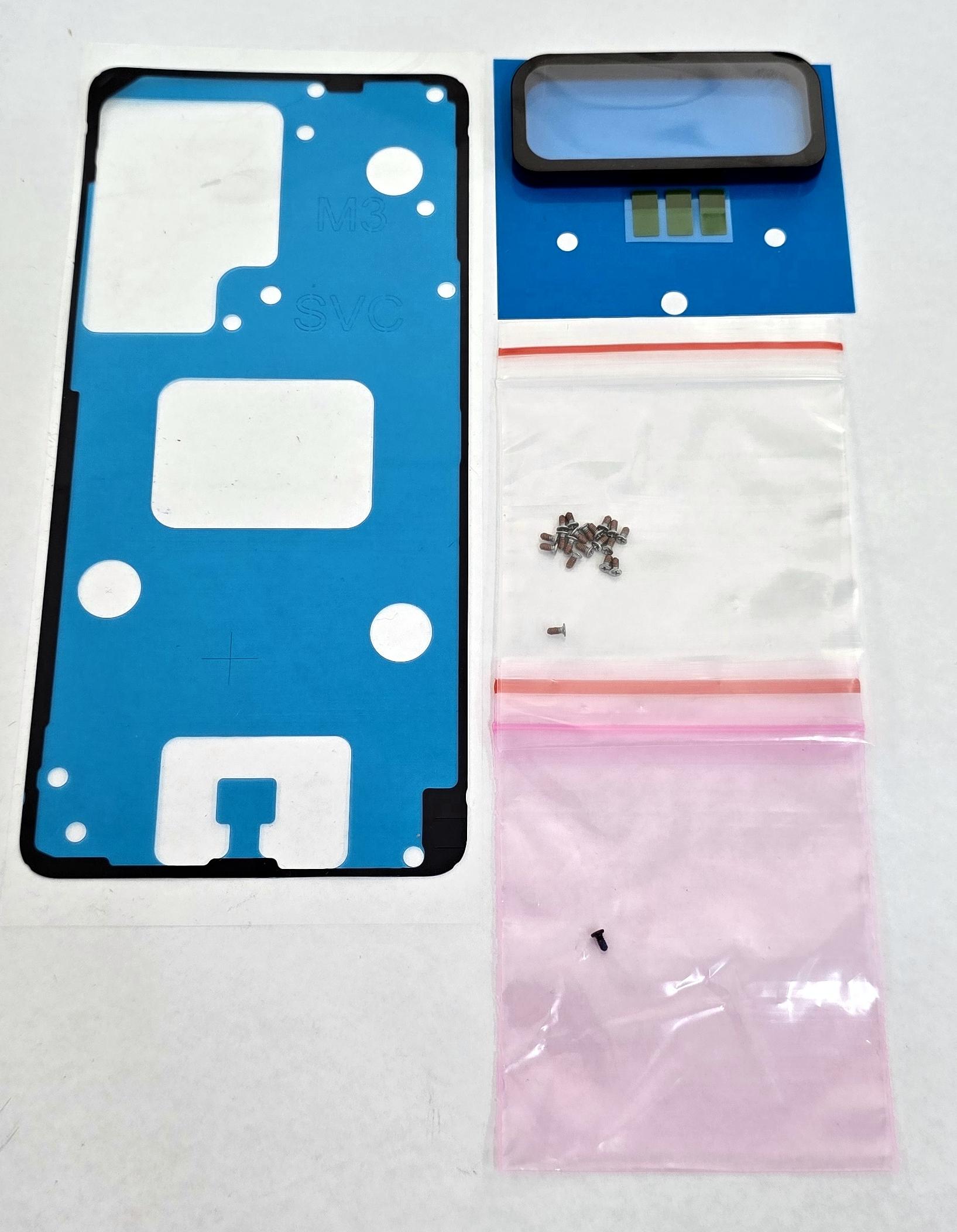
Adhesives kit by Samsung Galaxy S26 Ultra SM-S948 GH82-39267A Service Pack
80341
New
Disponible
Warning: Last items in stock!


Volume discounts
| Quantity | Total amount | Price 1 unit |
|---|---|---|
| 5 | €41.62 | Price €8.32 |
Adhesive Kit for Samsung Galaxy S26 Ultra SM-S948 SM-S948B SM-S948B/DS GH82-39267A Service Pack |
|---|
The Service Pack adhesive kit GH82-39267A for Samsung Galaxy S26 Ultra SM-S948, SM-S948B and SM-S948B/DS is designed to renew the fixing elements of the device's back cover or battery cover. Identified by Samsung under the technical designation A/S REPAIR KIT-B/C (COMM), it includes pre-cut adhesives and mounting screws to facilitate rear assembly. It allows adhesives damaged during disassembly to be replaced and restores the perimeter attachment of the cover to the chassis. It is intended for workshops and professional repair services performing back cover replacements, battery replacements and internal repairs.
Specifications |
|---|
- Brand: Samsung.
- Compatible model: Samsung Galaxy S26 Ultra 5G.
- Technical models: SM-S948, SM-S948B and SM-S948B/DS.
- Part Number: GH82-39267A.
- Samsung technical designation: A/S REPAIR KIT-B/C (COMM).
- Component type: Back cover or battery cover adhesive repair kit.
- Included components: Pre-cut fixing adhesives and mounting screws.
- Application: Attachment of the rear cover to the device chassis.
- Design: Adhesives adapted to the mounting perimeter of the Galaxy S26 Ultra back cover.
- Function: Renewal of adhesive and mounting elements during rear cover installation.
- Quality: Samsung Service Pack.
Advantages |
|---|
The Service Pack adhesive kit GH82-39267A allows the Samsung Galaxy S26 Ultra back cover to be installed using fixing elements specifically designed for this device. Its application is particularly useful after replacing the battery, repairing internal components or removing a damaged rear cover.
The pre-cut adhesives facilitate positioning on the corresponding surfaces and help achieve uniform attachment between the cover and chassis, avoiding the reuse of materials that have lost adhesion during disassembly.
The inclusion of mounting screws complements the elements required for the repair.
For repair workshops and professional technicians, this kit allows fixing materials to be renewed, maintains rear cover alignment and completes assembly using Samsung-identified Service Pack components.
Installation Tips |
|---|
- Turn off the device, disconnect the battery and use ESD protection before starting the repair.
- Carefully remove the back cover using suitable tools and controlled heat to soften the existing adhesive.
- Completely remove previous adhesive residue from both the chassis and the inner surface of the cover.
- Clean and degrease the contact areas to facilitate uniform adhesion.
- Check the arrangement of the kit components before starting installation.
- Position the new adhesives following their correct orientation and alignment with the corresponding perimeter.
- Remove the protective films according to the application sequence and avoid touching the adhesive surfaces.
- Install the included screws in their corresponding positions when applicable, using suitable tools.
- Position the back cover, check its alignment with the frame and complete the closure without displacing the adhesives.
- Apply uniform pressure for approximately 20-30 minutes when appropriate according to the adhesive specifications.
- Check that the cover is fully seated and that the perimeter closure is continuous before completing the repair.
Technical Table |
|---|
Brand | Compatible Model | Technical Model | Part Number | Component Type | Included Components | Quality |
|---|---|---|---|---|---|---|
Samsung | Galaxy S26 Ultra 5G | SM-S948 / SM-S948B / SM-S948B/DS | GH82-39267A | Back cover adhesive kit | Pre-cut fixing adhesives and screws | Service Pack |


