No products
Prices are tax included
Product successfully added to your shopping cart
There are 0 items in your cart. There is 1 item in your cart.

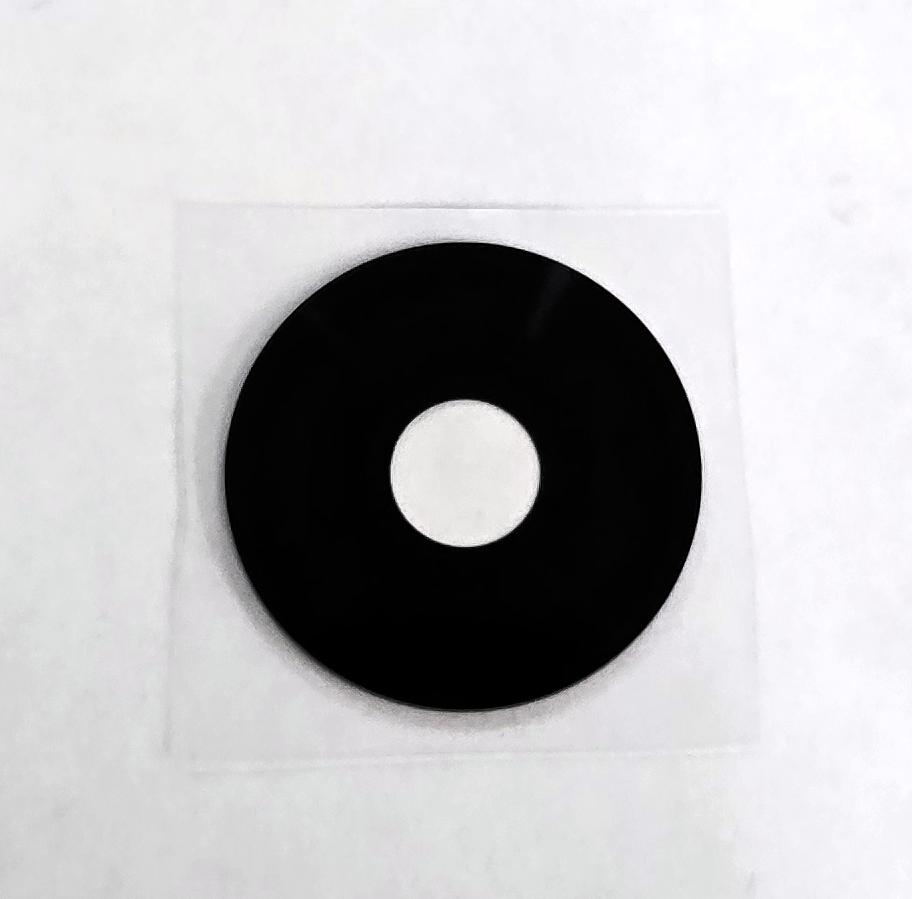
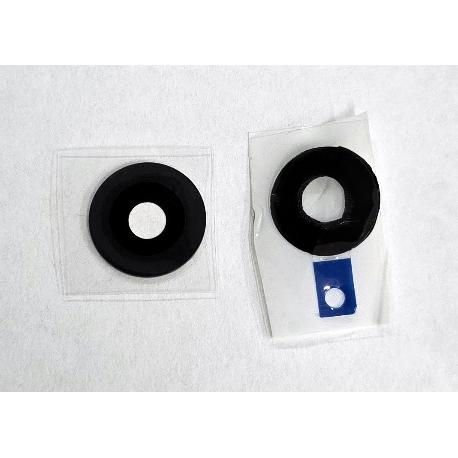
Camera lens by Oppo Reno 15 F 5G Reno 15 FS 5G Reno 15 A Reno 15 C 5G 620088000031 Service Pack
80311
New
Disponible
Warning: Last items in stock!


Volume discounts
| Quantity | Total amount | Price 1 unit |
|---|---|---|
| 5 | €0.97 | Price €0.19 |
Camera Glass for Oppo Reno15 F 5G Reno15 FS 5G Reno15 A Reno15 C 5G CPH2801 620088000031 Service Pack |
|---|
The camera glass for Oppo Reno15 F 5G, Reno15 FS 5G, Reno15 A and Reno15 C 5G CPH2801, with part number 620088000031 and Service Pack quality, is a replacement component designed to replace the external protective glass of the rear camera system. It allows damage such as cracks, scratches, breakage or detachment affecting camera protection to be repaired. Replacing this component helps restore protection of the optical opening and the external finish of the device while preserving the internal camera module when it remains functional. It is a suitable part for targeted repairs and professional maintenance work on Oppo smartphones.
Specifications |
|---|
- Brand: Oppo.
- Compatible models: Oppo Reno15 F 5G, Reno15 FS 5G, Reno15 A and Reno15 C 5G.
- Technical model: CPH2801.
- Component: Rear camera protective glass.
- Quality: Service Pack.
- Part Number (Part No): 620088000031.
- Technical identification: Whoopass-F4.
- Material: Glass.
- Part type: External optical camera protector.
- Location: Rear camera assembly of the device.
- Function: External protection of the optical opening against direct contact with external elements.
- Compatible versions: Oppo Reno15 F 5G, Reno15 FS 5G, Reno15 A and Reno15 C 5G identified by technical code CPH2801.
- Application: Replacement of deteriorated, cracked, scratched, detached or broken protective glass.
Advantages |
|---|
The Service Pack camera glass 620088000031 allows targeted repairs of the camera assembly on the Oppo Reno15 F 5G and its Reno15 FS 5G, Reno15 A and Reno15 C 5G commercial variants. Its identification through the service part number and Whoopass-F4 technical code makes it easier to select the replacement component for model CPH2801 and organize repairs in specialized workshops.
Replacing the damaged glass restores external protection of the optical area and improves the appearance of the device. It also removes scratches, cracks and other surface defects that may interfere with image capture when the problem originates from the protector.
It is a practical solution for professional repair technicians who need to repair external camera damage while preserving the internal camera module when it continues to function correctly.
Installation Tips |
|---|
- Turn off the device, disconnect the battery when internal access is required and use ESD protection.
- Examine the glass housing and check the condition of the camera components before starting replacement.
- Carefully remove the damaged glass using appropriate tools to protect the camera and housing.
- Remove glass fragments and adhesive residue from the mounting area before installing the new replacement part.
- Carefully clean the optical area and check that no dust particles, residue or fragments remain on the lens.
- Compare the shape, orientation and support points of the new glass with the removed part.
- Position the new glass according to its orientation and align it correctly with the camera housing.
- Use suitable fixing adhesive when required, preventing contact with the optical surfaces.
- Apply uniform pressure to the fixing area and follow the setting conditions of the adhesive used.
- Check that the glass is correctly seated and that there are no gaps around its edges.
- Take test photographs to verify image sharpness, focus and the absence of unusual spots or reflections before completing the repair.
Technical Table |
|---|
Brand | Compatible Models | Technical Model | Part Number (Part No) | Component Type | Quality |
|---|---|---|---|---|---|
Oppo | Reno15 F 5G / Reno15 FS 5G / Reno15 A / Reno15 C 5G | CPH2801 | 620088000031 | Rear camera protective glass | Service Pack |