
No products
Prices are tax included
Product successfully added to your shopping cart
There are 0 items in your cart. There is 1 item in your cart.

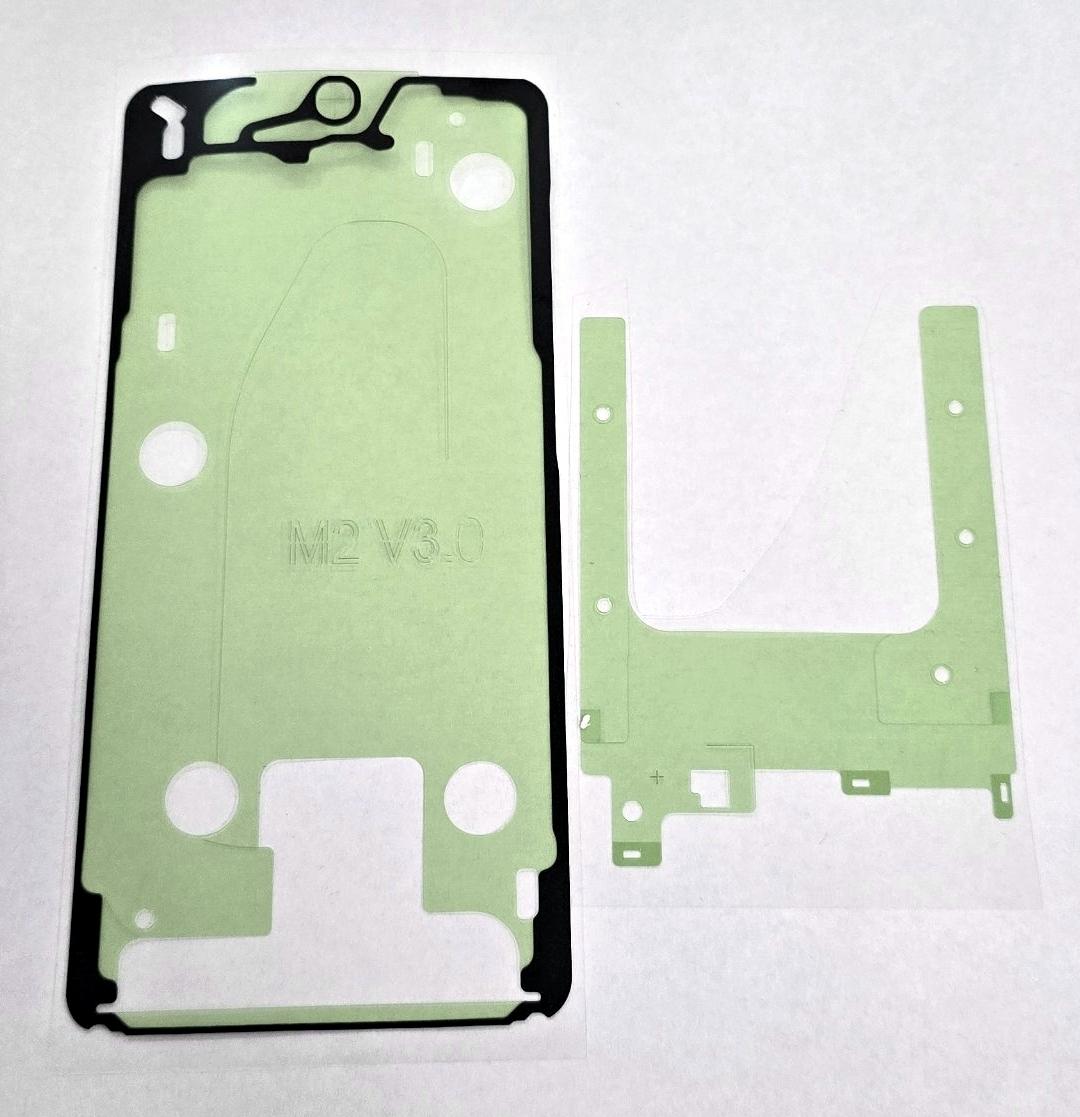
Display adhesives kit by Samsung Galaxy S26 Plus S947 GH82-39220A Service Pack
79925
New
Disponible
Warning: Last items in stock!


Volume discounts
| Quantity | Total amount | Price 1 unit |
|---|---|---|
| 5 | €18.76 | Price €3.75 |
Screen adhesive set for Samsung Galaxy S26 Plus S947 GH82-39220A Service Pack
Screen adhesive set for Samsung Galaxy S26 Plus S947, reference GH82-39220A, in Service Pack quality, designed to correctly secure the screen module to the chassis after a repair or replacement. The set includes pre-cut adhesives adapted to the mounting areas of the device, facilitating precise and uniform positioning during assembly. It allows the adhesives removed during disassembly to be replaced and restores stable screen fastening. Replacement part intended for professional installation and especially recommended whenever the front module needs to be completely removed.
Specifications
Brand: Samsung
Compatible model: Samsung Galaxy S26 Plus
Technical model: S947
Component: screen adhesive set
Function: securing the screen module to the chassis
Format: pre-cut adhesives
Part number: GH82-39220A
Quality: Service Pack
Service Pack quality provides a set specifically prepared for the dimensions and tolerances of the Samsung Galaxy S26 Plus S947. Its pre-cut design facilitates uniform adhesive distribution and correct alignment during screen installation. Replacing the adhesives after removing the module helps prevent gaps, lifting or movement of the front assembly and provides more consistent fastening. It is especially suitable for technical services that require installation precision, compatibility and reliability in every repair. Its use facilitates the assembly process and allows a clean finish to be achieved after reinstalling the screen.
Installation tips
Disconnect the battery before starting the repair.
Use ESD protection during handling.
Completely remove all previous adhesive residue.
Carefully clean and degrease the contact surfaces.
Check the position of each adhesive before removing the protective films.
Align the adhesives, avoiding folds, stretching or displacement.
Perform a complete screen test before final bonding.
Apply uniform pressure after installing the module.
Check the seating of the entire perimeter before completing the repair.
Technical table
| Brand | Compatible models | Technical model | Part number | Component type | Function | Format | Quality |
|---|---|---|---|---|---|---|---|
| Samsung | Galaxy S26 Plus | S947 | GH82-39220A | Screen adhesive set | Securing screen to chassis | Pre-cut | Service Pack |


