No products
Prices are tax included
Product successfully added to your shopping cart
There are 0 items in your cart. There is 1 item in your cart.

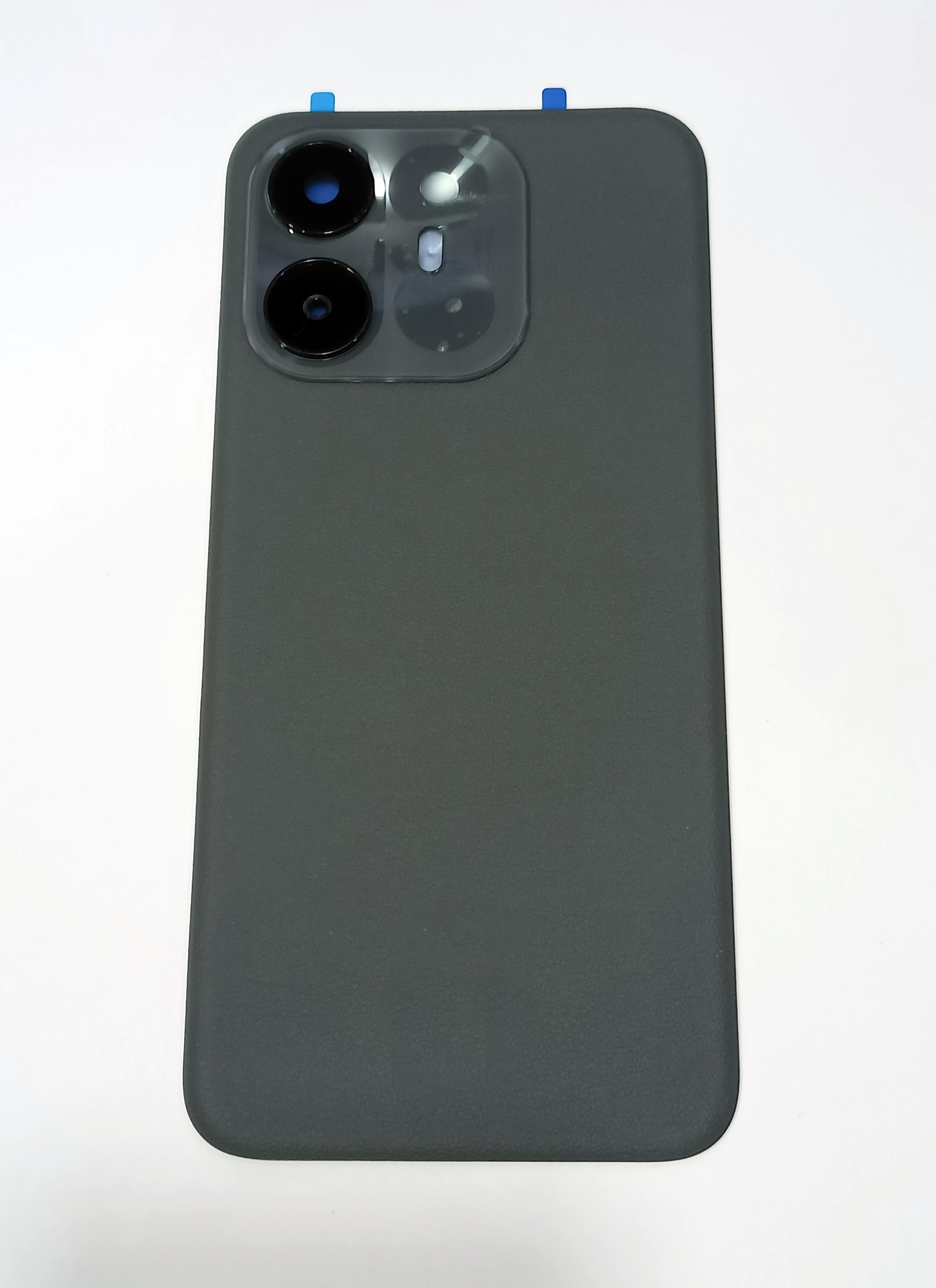
Grey rear battery cover with camera lens glass for TCL K70 Power 4G T522E compatible quality
80453
New
Disponible
Warning: Last items in stock!


Volume discounts
| Quantity | Total amount | Price 1 unit |
|---|---|---|
| 5 | €30.55 | Price €6.11 |
Grey rear battery cover with camera lens glass for TCL K70 Power 4G T522E compatible quality |
|---|
The compatible-quality grey rear battery cover with protective camera lens glass for TCL K70 Power 4G T522E is a replacement part designed to renew the device's rear cover. It allows the replacement of a cover damaged by impacts, scratches, cracks or wear, restoring the device's external finish and the physical protection of its internal components. The inclusion of the rear camera protective glass facilitates the replacement of both elements together, providing a practical solution for professional repairs.
Specifications |
|---|
- Compatible brand: TCL.
- Compatible model: TCL K70 Power 4G.
- Technical model: T522E.
- Component type: Rear cover or battery cover.
- Colour: Grey.
- Configuration: With rear camera protective lens glass.
- Location: Rear of the device.
- Function: External closure and physical protection of internal components and rear camera.
- Quality: Compatible.
Advantages |
|---|
This compatible-quality rear cover offers a cost-effective alternative for restoring the external finish of the TCL K70 Power 4G without replacing other functional device components. The inclusion of the protective camera lens glass allows the rear cover and optical protection surface to be renewed simultaneously, particularly when both show damage or scratches. Its grey finish maintains the device's characteristic appearance. It is suitable for repairs resulting from everyday wear, impacts or deterioration of the rear housing. Replacing these elements together facilitates assembly tasks, reduces the number of parts required for the repair and optimises repair costs in professional workshops.
Installation tips |
|---|
- Switch off the device and disconnect the battery before replacement.
- Use suitable opening tools and ESD protection.
- Carefully remove the damaged rear cover.
- Remove adhesive residue and clean the housing perimeter.
- Clean the camera surfaces and the inside of the protective lens glass.
- Check the correct alignment of the camera and flash openings.
- Apply suitable mounting adhesive and exert even pressure according to its bonding times.
- Verify camera and flash functionality, as well as the perimeter fit of the cover.
Technical table |
|---|
Brand | Compatible model | Technical model | Component type | Colour | Configuration | Quality |
|---|---|---|---|---|---|---|
TCL | K70 Power 4G | T522E | Rear battery cover | Grey | With camera lens glass | Compatible |