
No products
Prices are tax included
Product successfully added to your shopping cart
There are 0 items in your cart. There is 1 item in your cart.

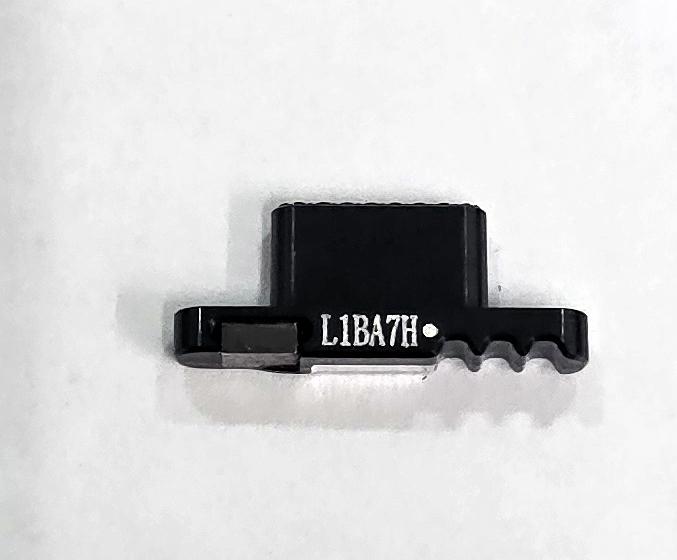
Grey sidekey by Oneplus Nord 4 5G CPH2661 CPH2663 621036000308 Service Pack
80237
New
Disponible
Warning: Last items in stock!


Volume discounts
| Quantity | Total amount | Price 1 unit |
|---|---|---|
| 5 | €18.76 | Price €3.75 |
Gray Side Button for OnePlus Nord 4 5G CPH2661 CPH2663 621036000308 Service Pack |
|---|
The gray Service Pack side button for OnePlus Nord 4 5G CPH2661 and CPH2663 is a replacement for the Alert Slider switch, located on the left side of the device. Identified by reference 621036000308, it is designed to replace the external key when it is broken, worn, detached or difficult to slide. This selector allows switching between ring, vibrate and silent modes through three mechanical positions. Its gray finish maintains the device's appearance and allows a localized repair of the side control. This component is particularly suitable for professional repair technicians specializing in OnePlus devices.
Specifications |
|---|
- Brand: OnePlus.
- Compatible model: OnePlus Nord 4 5G.
- Technical models: CPH2661 and CPH2663.
- Provided reference: 621036000308.
- Component: Alert Slider side button.
- Color: Gray.
- Material: Aluminum alloy.
- Quality: Service Pack.
- Replacement type: Three-position external mechanical slider key.
- Function: Selection of ring, vibrate and silent modes.
- Location: Left side of the device.
- Regional compatibility: CPH2661 (India) and CPH2663 (Europe/Global).
Advantages |
|---|
The gray Service Pack side button for OnePlus Nord 4 5G allows replacement of the external Alert Slider component when it shows physical damage or sliding difficulties. Its aluminum alloy construction provides a metallic surface consistent with the device's design, while the gray finish helps maintain the uniform appearance of the housing.
This replacement restores mechanical operation of the three-position selector when the internal mechanism continues to function correctly. Its application to CPH2661 and CPH2663 models facilitates repairs of devices intended for different markets. It provides a practical solution for workshops that need to repair the side sound control without unnecessarily replacing other functional components of the phone.
Installation Tips |
|---|
- Switch off the device, disconnect the battery before handling internal components and use ESD protection.
- Carefully access the side selector housing following the OnePlus Nord 4 5G disassembly procedure.
- Remove the damaged button without affecting the guides, mounting points or internal Alert Slider mechanism.
- Clean the housing and check the condition of the selector's guiding and actuation components.
- Install the new button according to its correct orientation and alignment with the sliding mechanism, avoiding pressure on nearby flex cables and components.
- Check that the selector moves correctly between its three positions and maintains uniform mechanical operation.
- Verify the ring, vibrate and silent modes before completing reassembly. Replace removed adhesives and check the housing closure where applicable.
Technical Table |
|---|
Brand | Compatible Models | Technical Model | Component Type | Material | Color | Quality |
|---|---|---|---|---|---|---|
OnePlus | Nord 4 5G | CPH2661 / CPH2663 | Alert Slider side button | Aluminum alloy | Gray | Service Pack |


