
No products
Prices are tax included
Product successfully added to your shopping cart
There are 0 items in your cart. There is 1 item in your cart.

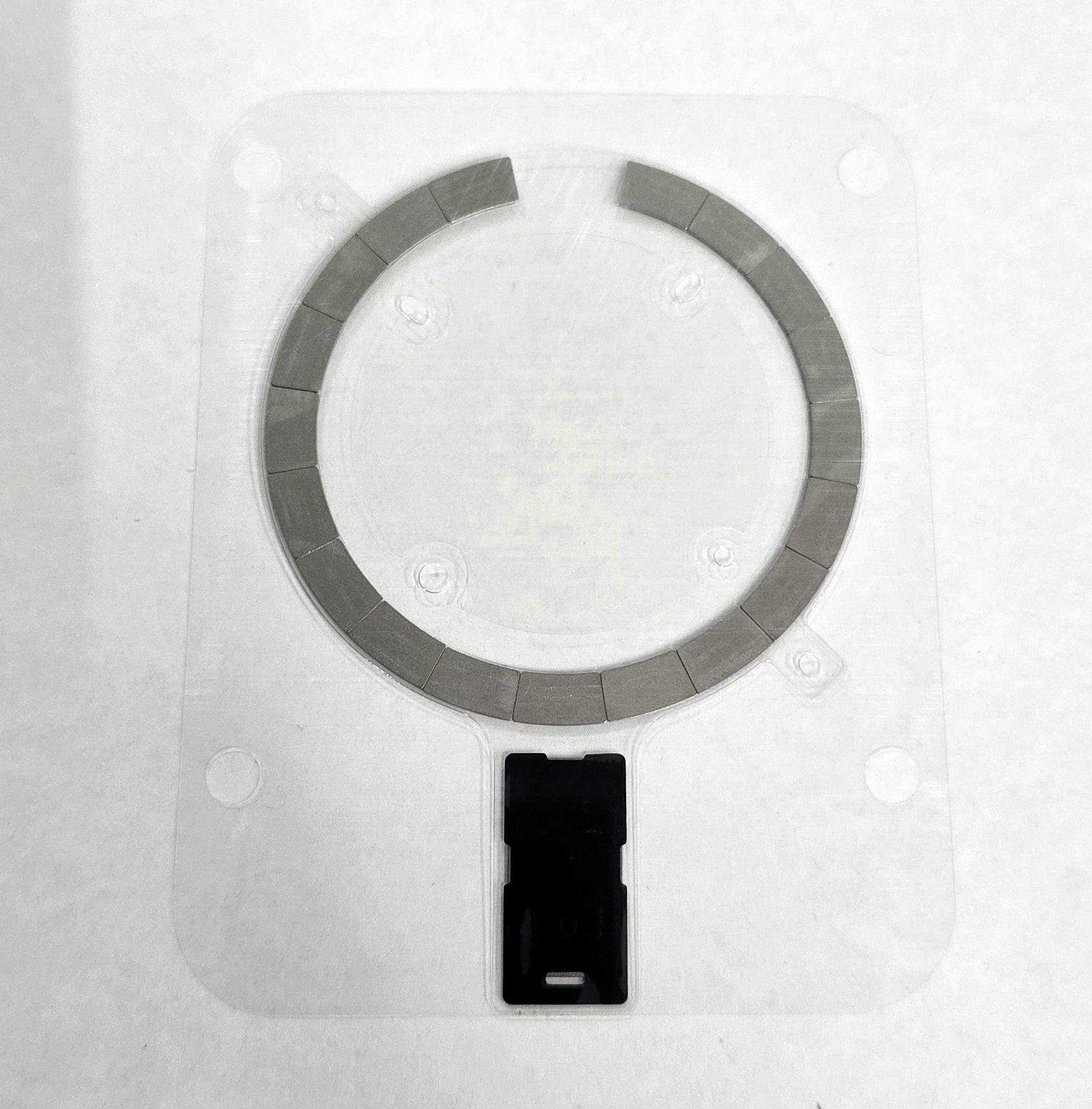
MagSafe magnetic wireless charging module by iPhone Air premium quality
80555
New
This product is no longer in stock
Availability date: 11/26/2026


Volume discounts
| Quantity | Total amount | Price 1 unit |
|---|---|---|
| 5 | €12.89 | Price €2.58 |
MagSafe wireless charging magnetic module for Apple iPhone Air A3260 A3516 A3517 A3518 premium quality |
|---|
The MagSafe wireless charging magnetic module for Apple iPhone Air A3260, A3516, A3517 and A3518 in premium quality is a replacement part designed to replace the magnet assembly located inside the device's rear cover. Its function is to facilitate the magnetic alignment and attachment of MagSafe-compatible chargers and accessories. It is suitable for repairing attachment problems caused by damaged, displaced or missing magnets, as well as completing rear cover replacement and smartphone refurbishment work.
Specifications |
|---|
- Compatible brand: Apple.
- Compatible model: iPhone Air.
- A3517: Global and European version.
- A3260: US version and other international markets.
- A3516: Japanese version.
- A3518: Chinese version.
- Component type: MagSafe magnetic module.
- Configuration: permanent magnet assembly.
- Location: inside the rear cover.
- Function: magnetic alignment and attachment of MagSafe chargers and accessories.
- Passive magnetic component, independent of the wireless charging coil.
- Quality: premium.
Advantages |
|---|
Allows magnetic attachment to be restored when the magnet assembly is damaged or incomplete.
Facilitates wireless charger alignment with the device's charging coil.
Promotes the stability of compatible magnetic accessories during use.
Allows the magnetic attachment system to be renewed during rear cover replacement.
Facilitates targeted repairs while retaining the wireless charging coil and electronic components that are in good condition.
Helps restore the functionality of the MagSafe magnetic attachment system.
Premium-quality spare part suitable for professional workshops specialising in Apple device repair, maintenance and refurbishment.
Installation tips |
|---|
- Switch off the device and disconnect the battery before starting the repair.
- Use precision tools and ESD anti-static protection.
- Carefully remove the damaged magnetic assembly.
- Clean the inner surface of the rear cover and remove adhesive residue.
- Observe the position, orientation and polarity of the magnetic elements.
- Correctly centre the module relative to the wireless charging coil.
- Use suitable adhesive to secure the magnetic assembly.
- Check the alignment and attachment of MagSafe accessories.
- Verify wireless charging operation before final assembly.
- Replace the rear cover perimeter adhesive and check the seal.
Technical table |
|---|
Brand | Compatible model | Technical models | Component type | Function | Quality |
|---|---|---|---|---|---|
Apple | iPhone Air | A3260 / A3516 / A3517 / A3518 | MagSafe magnetic module | Magnetic alignment and attachment | Premium |


