No products
Prices are tax included
Product successfully added to your shopping cart
There are 0 items in your cart. There is 1 item in your cart.

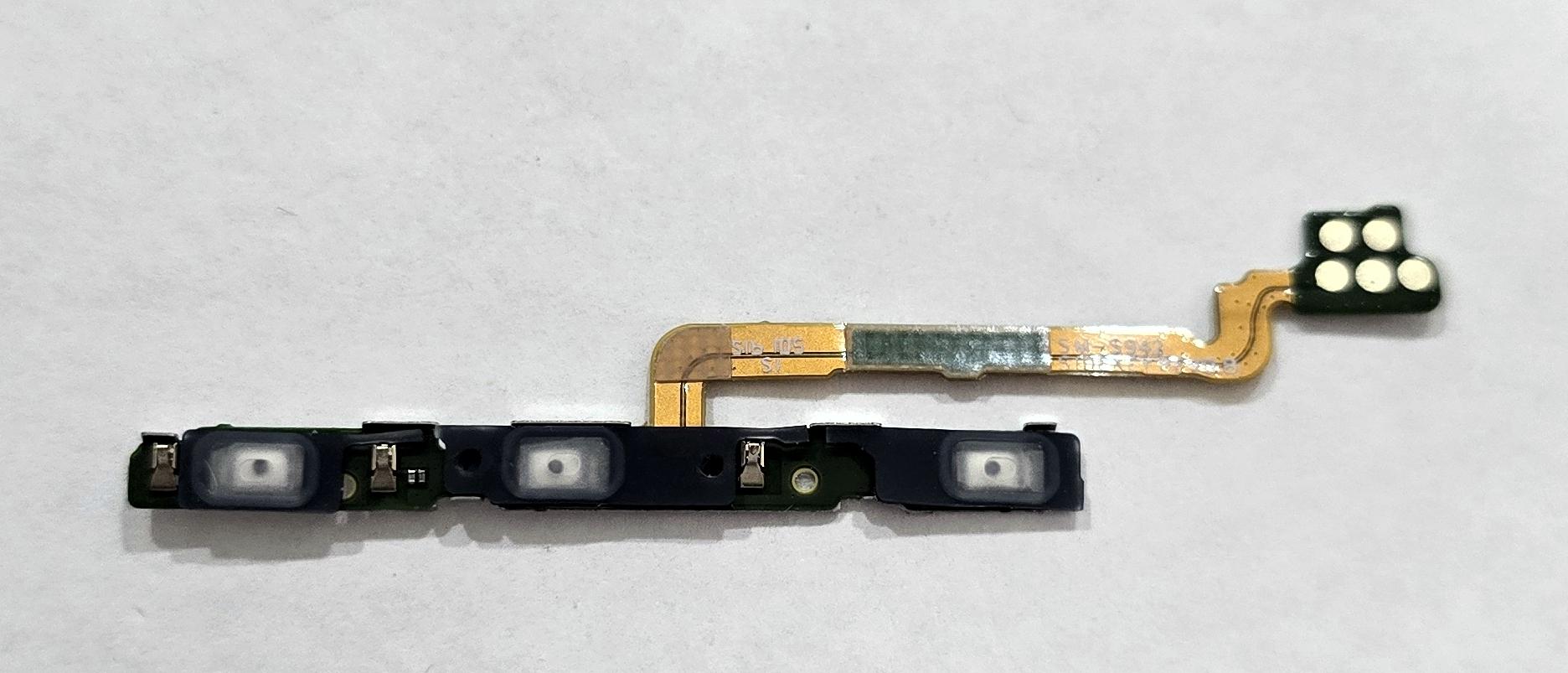
Power and volume flex by Samsung Galaxy S26 S942B Galaxy S26 Plus S947B premium quality
80548
New
This product is no longer in stock
Availability date: 11/26/2026


Volume discounts
| Quantity | Total amount | Price 1 unit |
|---|---|---|
| 5 | €14.52 | Price €2.90 |
Power and volume flex cable for Samsung Galaxy S26 SM-S942B Galaxy S26 Plus SM-S947B premium quality |
|---|
The power and volume flex cable for Samsung Galaxy S26 SM-S942B and Galaxy S26 Plus SM-S947B in premium quality is a replacement part designed to replace the internal flexible circuit responsible for operating the side power, lock and volume control buttons. This component transmits the electrical signals generated when the device's physical buttons are pressed. Replacement helps resolve faults related to intermittent operation, unresponsive buttons, unintended activations or flexible circuit deterioration, facilitating professional Samsung smartphone repair and refurbishment work.
Specifications |
|---|
- Compatible brand: Samsung.
- Compatible models: Galaxy S26 5G and Galaxy S26 Plus 5G.
- Samsung Galaxy S26: SM-S942B.
- Samsung Galaxy S26 Plus: SM-S947B.
- Component type: power and volume flexible circuit.
- Power and lock switch.
- Volume up and down switches.
- Location: inside the device's side frame.
- Function: transmission of electrical signals from the side switches.
- Quality: premium.
Advantages |
|---|
Allows the physical controls to be restored when the fault is located in the flexible circuit.
Facilitates the restoration of power, lock and volume control functions.
Compatibility with both models, facilitating spare parts management in professional technical services.
Helps resolve intermittent operation, unintended activations and unresponsive buttons.
Allows the internal power and volume switches to be replaced together during a single repair.
Facilitates targeted repairs while retaining the external buttons, side frame and motherboard when they are in good condition.
Premium-quality spare part suitable for workshops specialising in Samsung smartphone repair, maintenance and refurbishment.
Installation tips |
|---|
- Switch off the device and disconnect the battery before starting the repair.
- Use precision tools and ESD anti-static protection.
- Carefully remove the damaged flexible circuit.
- Clean the housing and remove adhesive residue.
- Check the condition of the external buttons and their support points.
- Install the new flex cable according to its position and routing inside the frame.
- Correctly align the internal switches with the external buttons.
- Connect the flexible circuit without excessively bending it or forcing the connector.
- Check the power, lock, volume up and volume down functions before final assembly.
- Replace the rear cover adhesive and check the seal.
Technical table |
|---|
Brand | Compatible models | Technical models | Component type | Functions | Quality |
|---|---|---|---|---|---|
Samsung | Galaxy S26 5G / Galaxy S26 Plus 5G | SM-S942B / SM-S947B | Power and volume flex cable | Power, lock and volume | Premium |