No products
Prices are tax included
Product successfully added to your shopping cart
There are 0 items in your cart. There is 1 item in your cart.

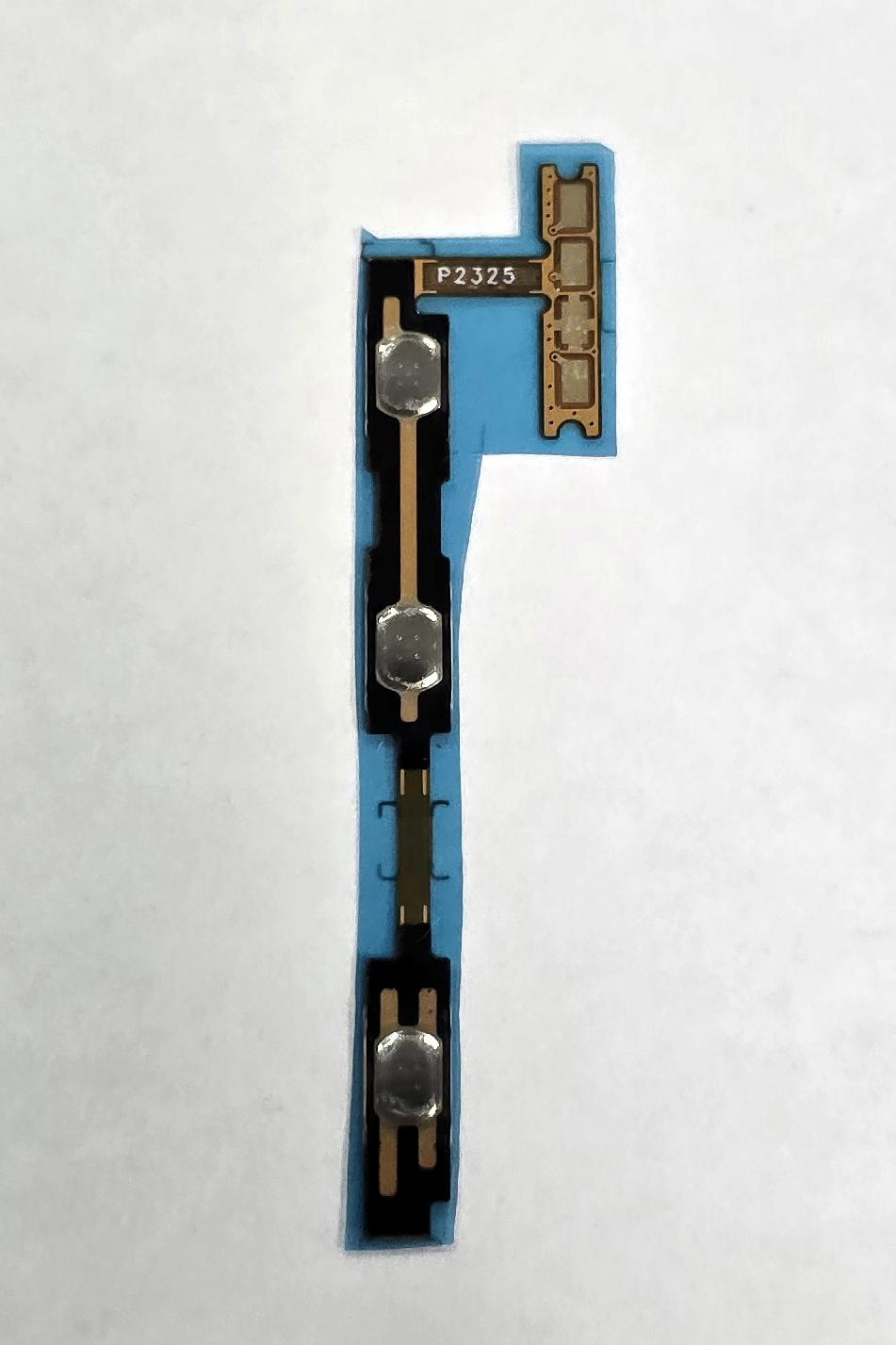
Power and volume flex by Xiaomi Redmi A4 5G premium quality
80513
New
This product is no longer in stock
Availability date: 11/26/2026


Volume discounts
| Quantity | Total amount | Price 1 unit |
|---|---|---|
| 5 | €6.05 | Price €1.21 |
Power and volume button flex cable for Xiaomi Redmi A4 5G 24116RNC1I premium quality |
|---|
Premium-quality power and volume button flex cable for Xiaomi Redmi A4 5G 24116RNC1I, corresponding to the version marketed in India. This replacement part incorporates the internal switches responsible for transmitting power on, power off, screen lock and volume control commands to the device motherboard. It allows faults related to unresponsive buttons, intermittent presses or actuation failures caused by deterioration of the flexible circuit to be resolved. This component is intended for professional repairs of the device's side controls.
Specifications |
|---|
- Compatible brand: Xiaomi.
- Compatible model: Redmi A4 5G.
- Technical model: 24116RNC1I.
- Compatible version: India.
- Component type: power and volume button flexible circuit.
- Functions: power on, power off, screen lock and volume control.
- Integrated internal switches.
- Location: inner side of the device.
- Connection to the motherboard.
- Independent fingerprint sensor.
- Quality: premium.
Advantages |
|---|
This premium-quality flex cable restores the operation of the physical controls of the Xiaomi Redmi A4 5G when the fault is located in the flexible circuit or its internal switches. Its specific design facilitates positioning in the device's side housing and connection to the motherboard.
The integration of the power and volume switches into a single component allows these functions to be renewed together during a single repair. Its replacement facilitates a targeted repair, retaining the external buttons and other components that are in good condition. It provides a practical solution for workshops specialising in the repair and maintenance of Xiaomi devices.
Installation tips |
|---|
- Switch off the device and disconnect the battery before starting the repair.
- Use precision tools and ESD antistatic protection.
- Carefully remove the damaged flex cable and clean its housing.
- Correctly align the internal switches with the external side buttons.
- Connect the flex cable to the motherboard without forcing the connector or excessively bending the flexible circuit.
- Check the power on, power off, screen lock and volume control functions.
- Verify fingerprint sensor operation after installation.
- Replace the adhesives removed during disassembly and perform functional tests before final closure.
Technical table |
|---|
Brand | Compatible model | Technical model | Version | Component type | Quality |
|---|---|---|---|---|---|
Xiaomi | Redmi A4 5G | 24116RNC1I | India | Power and volume button flex cable | Premium |