No products
Prices are tax included
Product successfully added to your shopping cart
There are 0 items in your cart. There is 1 item in your cart.
Professional Tools
- JC Spare parts
- JC Consumables and Flex
- JC Programmers and Accessories
- Tools
- Professional Latest Tools
Professional Tools
There are 299 products.Technical Characterist
SpainSellers offers professional repair tools for smartphones, tablets, computers, smartwatches and other electronic devices, designed for repair workshops, authorised service centres, mobile phone repair shops and electronics professionals.
Choosing the right tools improves repair accuracy, reduces turnaround times and ...
Technical Characterist
SpainSellers offers professional repair tools for smartphones, tablets, computers, smartwatches and other electronic devices, designed for repair workshops, authorised service centres, mobile phone repair shops and electronics professionals.
Choosing the right tools improves repair accuracy, reduces turnaround times and minimises the risk of damaging internal components during device disassembly, diagnostics and reassembly.
Our selection is designed to meet the everyday requirements of professional repair technicians, from precision screwdrivers, opening tools, suction cups and anti-static tweezers to soldering stations, microsoldering equipment, digital multimeters, power supplies and specialised screen refurbishment machinery.
You can also find consumables and accessories designed to assist with the replacement of screens, batteries, charging ports, cameras, rear covers and electronic components mounted on mainboards.
We aim to provide suitable solutions for both routine device repairs and advanced electronic servicing, with wholesale pricing, professional purchasing conditions and specialised technical support for repair businesses.
B. Technical Characteristics of Professional Tools
Feature | Specifications |
|---|---|
Application | Electronic device repair |
Intended use | Professional workshops and service centres |
Tool type | Hand tools and electronic equipment |
Protection | ESD protection, depending on the tool |
Specialisation | Disassembly, diagnostics, soldering and microsoldering |
Compatibility | Depending on device and repair procedure |
Power supply | Manual, mains-powered or battery-powered, depending on equipment |
C. Category Content
Types of Professional Electronic Repair Tools
Professional electronic device repair requires specialised tools for different repair procedures. The main tool and consumable categories include:
Precision screwdrivers: Phillips, Torx, Pentalobe, Tri-Point and other electronic device screwdriver bits.
Opening tools: opening picks, spudgers, suction cups and disassembly tools.
Microsoldering tools: soldering stations, hot air rework stations, precision soldering irons and tips.
Diagnostic equipment: digital multimeters, adjustable power supplies and electronic testers.
Professional microscopes: for inspecting and repairing SMD components and FPC connectors.
Screen refurbishment equipment: screen separators, laminating machines and bubble removal equipment.
Anti-static tools: ESD-safe tweezers, wrist straps and workbench mats.
Repair consumables: adhesives, soldering flux, solder, desoldering wick, thermal tapes and electronic cleaning products.
Workshop accessories: motherboard holders, screw organisers and soldering fume extractors.
Instructions for Using Professional Repair Tools
Electronic device opening and disassembly
Switch off the device completely.
Identify the screws and select the appropriate precision screwdriver.
Apply controlled heat where necessary to soften the adhesive, following the manufacturer's specifications.
Use suction cups and non-metallic opening tools to separate the screen or rear cover.
Disconnect the battery as soon as it becomes accessible before handling electronic components.
Electronic component repair through microsoldering
Identify the faulty component through visual inspection and electronic diagnostics.
Secure the motherboard using a professional holder and disconnect its power supply.
Protect surrounding components and activate the soldering fume extraction system.
Use a soldering or hot air rework station with suitable settings for the component and circuit board.
Clean the repaired area and inspect all connections before reconnecting power.
Electronic fault diagnostics
Visually inspect the device and its internal connections.
Use a digital multimeter to perform the appropriate measurements.
Check the condition of affected connectors and electronic components.
Use an adjustable power supply with suitable voltage and current limits.
Verify device functionality after completing the repair.
Compatibility and Applications
Professional electronic repair tools can be used with devices from various manufacturers, including Apple, Samsung, Xiaomi, Huawei, Honor, Oppo, Realme, Motorola, Google, Lenovo and other brands.
Compatibility depends on the device design, screw type, assembly method and characteristics of its electronic components.
For specialised equipment, such as programmers, screen testers and diagnostic tools, technicians should always check supported device models and software versions before purchasing.
Differences Between Professional and Standard Repair Tools
Professional-grade tools are designed to provide greater accuracy, durability and reliability during frequent repair operations.
Premium Quality: tools designed for intensive use, featuring durable materials, enhanced precision and ergonomics suitable for professional technicians.
Standard Quality: tools intended for routine repairs and less demanding applications.
Specialised Equipment: machinery and instruments designed for specific procedures, including microsoldering, screen lamination, programming and electronic diagnostics.
Using suitable professional tools helps reduce handling errors, prevent unnecessary damage and improve the profitability of individual repairs.
Benefits for Professional Repair Businesses
SpainSellers provides solutions tailored to the requirements of electronic repair workshops and professional technicians.
Wholesale pricing for business customers.
Tools and consumables for different levels of technical expertise.
Updated stock information and fast dispatch, subject to availability.
Professional business invoicing.
Product warranty according to applicable conditions.
Technical and commercial support.
Centralised purchasing of spare parts, tools and repair consumables.
Investing in suitable professional equipment helps optimise repair turnaround times, improve service quality and increase workshop productivity.
D. Frequently Asked Questions
What tools are required for a professional mobile phone repair workshop?
A repair workshop requires precision screwdrivers, opening tools, anti-static tweezers, multimeters, soldering stations and specialised electronic repair consumables.
What tools are used for motherboard repairs?
Motherboard repairs require microscopes, microsoldering stations, hot air rework stations, multimeters, adjustable power supplies and precision tools.
Are professional repair tools compatible with all smartphone brands?
Most manual repair tools are universal, although certain screwdrivers, programmers and diagnostic equipment require specific compatibility checks.
What is the difference between professional and standard repair tools?
Professional repair tools generally offer greater accuracy, durability and ergonomics, making them suitable for frequent use in repair workshops.
Why are ESD-safe tools important for electronic repairs?
ESD-safe tools help reduce the risk of electrostatic discharge, which can damage sensitive electronic components.
What tools are needed to replace a mobile phone screen?
Screen replacement typically requires precision screwdrivers, opening tools, suction cups, a controlled heat source and suitable installation adhesives.
What equipment is required for microsoldering?
Microsoldering requires a precision soldering station, hot air rework station, microscope, motherboard holder, fume extractor and specialised consumables.
Does SpainSellers offer wholesale prices for professional repair tools?
Yes. SpainSellers offers wholesale purchasing conditions for eligible repair workshops, mobile phone repair shops and professional service centres.
ics of Servicio Técnico
Servicio Técnico is crucial for the maintenance and repair of smartphones, ensuring they operate efficiently and extending their lifespan. Key technical characteristics include:
- Experience Level: Highly trained and certified technicians.
- Tools and Technology: Advanced repair tools and diagnostic equipment.
- Supported Brands: Extensive support for major smartphone brands like Apple, Samsung, Huawei, etc.
- Service Types: Screen replacement, battery replacement, water damage repair, software updates, and more.
- Quality Assurance: Rigorous testing and quality control processes to ensure repairs are up to standard.
Instructions to Replace Servicio Técnico
Step 1: Diagnosis
Properly diagnose the issue with the smartphone to understand the extent of the problem. This involves:
- Visual inspection of the device for any obvious signs of damage.
- Running diagnostic software tools to identify hardware or software issues.
Step 2: Preparation
Prepare the necessary tools and workspace for the repair:
- Gather essential tools, including screwdrivers, spudgers, tweezers, and adhesive strips.
- Ensure you have a clean, well-lit, and static-free workspace.
Step 3: Disassembling the Device
Follow the steps given below to carefully dismantle the smartphone:
- Turn off the device completely and, if possible, remove the battery.
- Remove any external screws using a compatible screwdriver. Keep screws organized.
- Use a spudger to gently separate the screen or back cover from the chassis.
- Disconnect any flex cables connecting the different parts of the device. Note the positioning of each cable for reassembly.
Step 4: Replacing the Faulty Component
When you have accessed the faulty component, such as a damaged screen or battery:
- Carefully remove the faulty component, ensuring not to damage any surrounding parts.
- Replace it with the new component, aligning it correctly, and securing it in place.
- Reconnect any flex cables previously disconnected.
Step 5: Reassembling the Device
Reassemble the device by reversing the disassembly steps:
- Carefully place the screen or back cover back onto the chassis.
- Secure any screws you removed during disassembly, ensuring they are tightened but not over-tightened.
- Reconnect the battery and any other components that were removed earlier.
Step 6: Testing and Quality Assurance
After reassembly, power on the device to perform the following tests:
- Check if the device powers on without issues.
- Verify the functionality of the replaced component (e.g., if the screen was replaced, check for touch responsiveness and display quality).
- Run a full diagnostic test to ensure no other issues remain.
By following these detailed instructions, you can effectively replace the Servicio Técnico and restore the functionality of your smartphone.
Less


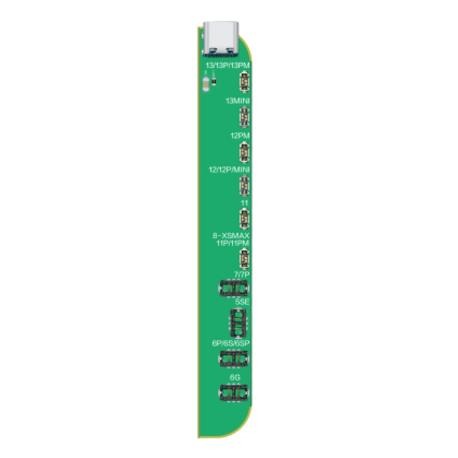
JC V1SE V1S PRO iPhone X - 14PM Face ID Activation Read...
50435JC V1SE V1S PRO iPhone X - 14PM Face ID Activation Read Write Adapter
€24.74

JC V1SE JCV1S PRO Adapter work module for iPhone 6 to...
57975JC V1SE JCV1S PRO Adapter work module for iPhone 6 to iPhone 15 Pro Max batteries
€18.60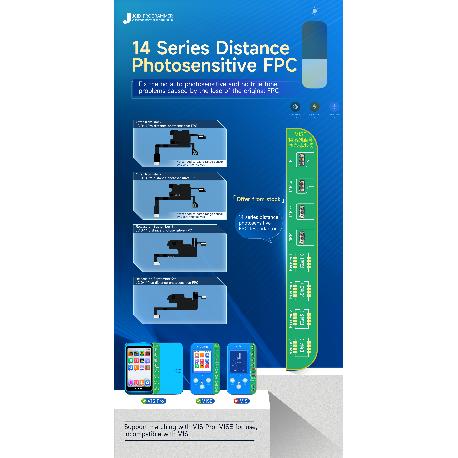

JC V1SE 12-14 Series Vibration R&W Adaptor for iPhone...
54854JC V1SE 12-14 Series Vibration R&W Adaptor for iPhone Taptic Engine Repair JCID
€20.82
JC V1S V1SE V1S PRO True Tone Read and Write Module...
50434JC V1S V1SE V1S PRO True Tone Read and Write Module premium and compatible screens iPhone 12 13 14
€28.71
JC V1S True Tone Read and Write Module Premium iPhone 12...
48000JC V1S True Tone Read and Write Module Premium iPhone 12 13 Series Screens
€17.58
JC V1S True Tone Read and Write Module iPhone 12 13...
48001JC V1S True Tone Read and Write Module iPhone 12 13 series premium and compatible screens
€24.33
JC V1S Pro is the most advanced professional programmer
49345JC V1S Pro is the most advanced professional programmer
€267.39
JC V1S JC V1SE JCV1S PRO Adapter work module for iPhone 6...
50433JC V1S JC V1SE JCV1S PRO Adapter work module for iPhone 6 to iPhone 14 Pro Max batteries
€16.79

JC V1S 8-13PM solve problems of no auto Photonsensitive
53151JC V1S 8-13PM solve problems of no auto Photonsensitive
€20.76
JC V1 SE 13 - 14 Aftermarket Rear Camera Pop-up Solution...
53168JC V1 SE 13 - 14 Aftermarket Rear Camera Pop-up Solution Module
€21.63
JC U15 UFS Programmer For Android BGA 153/254/297 Nand...
58003JC U15 UFS Programmer For Android BGA 153/254/297 Nand Reading And Writing
€464.64

JC P15 Integrated Nand Programmer For BGA60 BGA70 BGA110...
57988JC P15 Integrated Nand Programmer For BGA60 BGA70 BGA110 BGA315 IOS Nand
€249.26

JC JCID V1SEJC V1S V1SE Pro Wide angle Camera Repair...
53166JC JCID V1SEJC V1S V1SE Pro Wide angle Camera Repair adapter for iPhone XR XS Max 11 12 Pro Max Mini Camera pop-up
€21.39
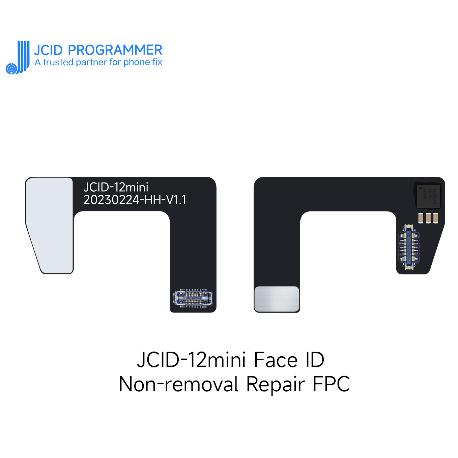
JC iPhone XS XR XS Max flex easy repair Face ID Non-removal
50437JC iPhone XS XR XS Max flex easy repair Face ID Non-removal
€7.72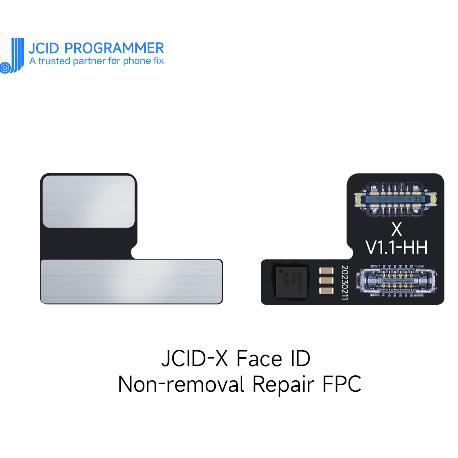

JC iPhone 12 Pro Max flex easy repair Face ID Non-removal
50441JC iPhone 12 Pro Max flex easy repair Face ID Non-removal
€12.54
JC iPhone 12 12 PRO flex easy repair Face ID Non-removal
50440JC iPhone 12 12 PRO flex easy repair Face ID Non-removal
€12.27
JC iPhone 11 Pro 11 Pro Max flex easy repair Face ID...
50442JC iPhone 11 Pro 11 Pro Max flex easy repair Face ID Non-removal
€9.87