
No products
Prices are tax included
Product successfully added to your shopping cart
There are 0 items in your cart. There is 1 item in your cart.

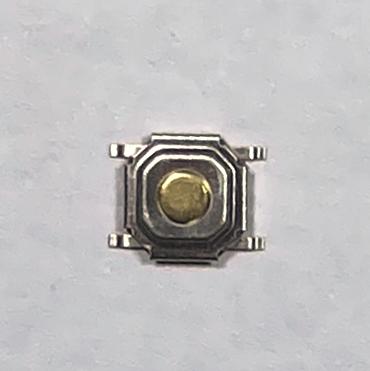
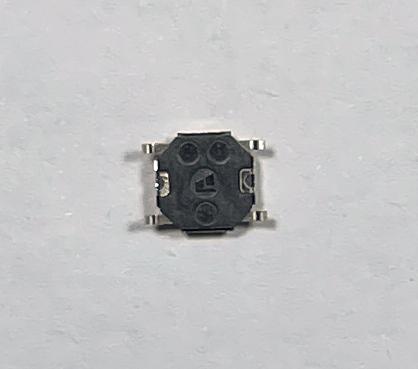
Black power button by DJI Osmo Action 1 Action 2 Action 3 Action 4 Action 5 Pro Action 6 premium quality
79374
New
Disponible
Warning: Last items in stock!


Volume discounts
| Quantity | Total amount | Price 1 unit |
|---|---|---|
| 5 | €13.31 | Price €2.66 |
Black Power Button for DJI Osmo Action Action 2 Action 3 Action 4 Action 5 Pro Action 6 Premium Quality
Black power button for DJI Osmo Action, DJI Action 2, Osmo Action 3, Osmo Action 4, Osmo Action 5 Pro and Osmo Action 6 in Premium quality, intended to replace the external button when it shows wear, breakage, loss of tactile response or damage caused during disassembly. The power function changes its name depending on the generation: DJI uses a dedicated power button on Osmo Action and Action 2, while on later generations it is integrated with the Quick Switch function. Spare part intended for professional installation and testing before closure.
Specifications
Component: power button
Color: black
Compatibilities: DJI Osmo Action, DJI Action 2, DJI Osmo Action 3, DJI Osmo Action 4, DJI Osmo Action 5 Pro, DJI Osmo Action 6
Function: external operation of the power and quick switch system depending on model
Quality: Premium
Premium quality provides a replacement prepared to restore a firm and stable press when the external button is damaged. It is suitable for cameras with wear caused by continued use, impacts or damage resulting from a previous repair. On Osmo Action 3, Action 4 and Action 5 Pro, DJI uses the Quick Switch button for powering the camera on and off, while on Action 6 it is identified as the power and quick switch button. It is recommended to check the internal mechanism and associated contact before replacing only the external button. Correct positioning allows the button travel to be maintained and facilitates normal use of the camera.
Installation Tips
Disconnect the power supply before starting the repair.
Use ESD protection during internal handling.
Check the condition of the mechanism and internal switch before replacing the button.
Remove the damaged part without damaging the housing in the casing.
Fit the new button respecting its position and travel.
Check power on, power off and quick switch operation depending on the model before closure.
Check the camera sealing correctly after the repair.
Technical Table
| Brand | Compatible models | Component type | Color | Quality |
|---|---|---|---|---|
| DJI | Osmo Action, Action 2, Osmo Action 3, Osmo Action 4, Osmo Action 5 Pro, Osmo Action 6 | Power button | Black | Premium |


