
No products
Prices are tax included
Product successfully added to your shopping cart
There are 0 items in your cart. There is 1 item in your cart.

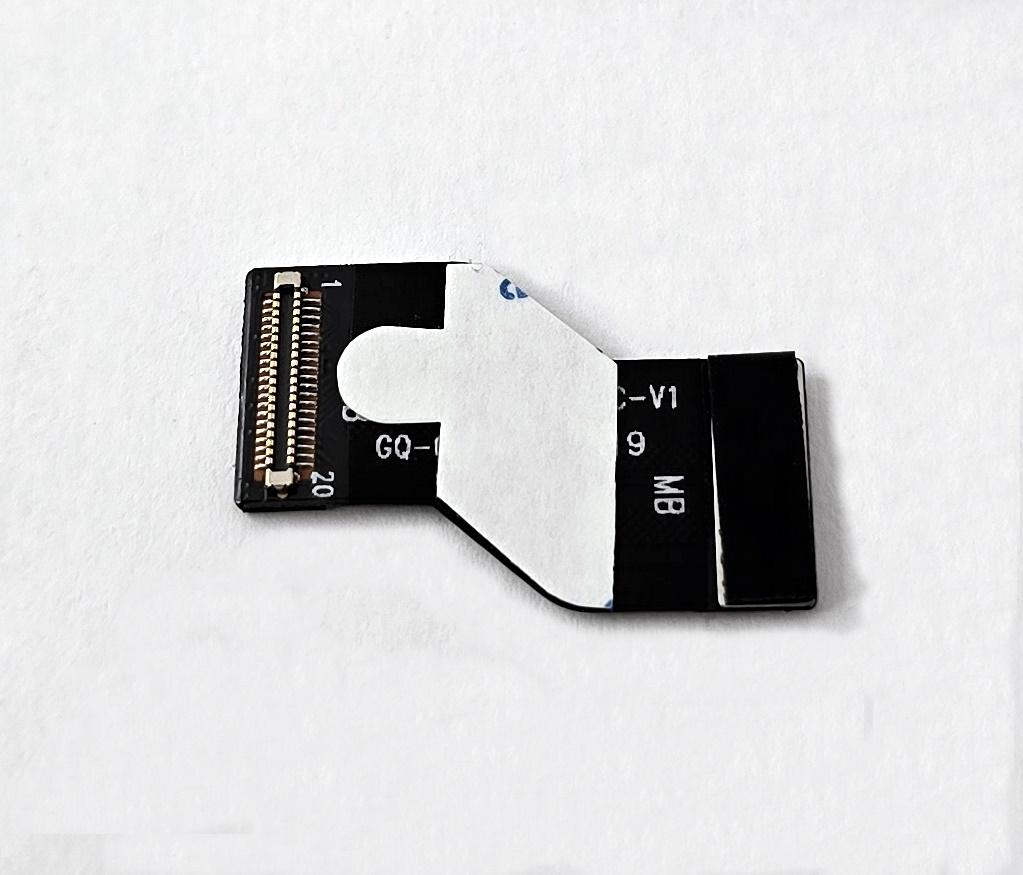
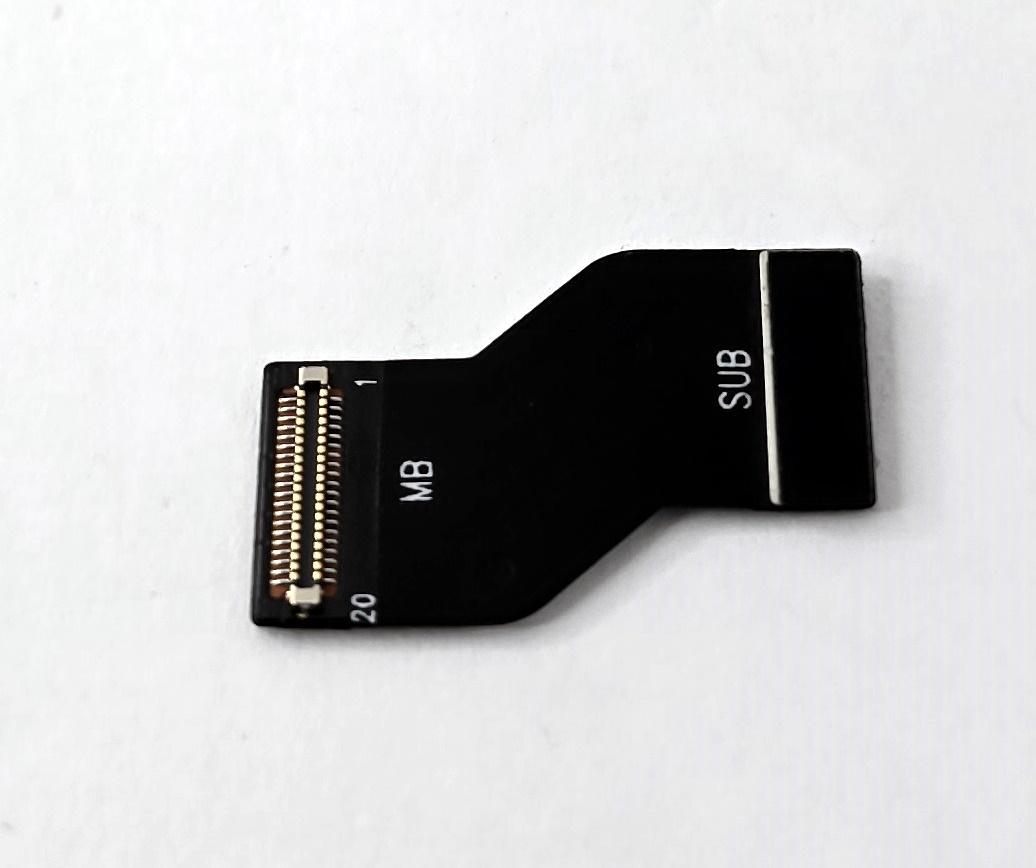
Button flex by Ulefone Armor 25T Ulefone Armor 25T Pro 5G premium quality
69441
New
Disponible


Volume discounts
| Quantity | Total amount | Price 1 unit |
|---|---|---|
| 5 | €34.18 | Price €6.84 |
Button Connection Flex Cable for Ulefone Armor 25T Ulefone Armor 25T Pro 5G Premium Quality |
|---|
The premium quality button connection flex cable is designed for the Ulefone Armor 25T 4G and Armor 25T Pro 5G. This replacement part provides an interconnection for the side button system, transmitting electrical signals between the physical control and the phone's internal circuitry. Replacing it helps resolve faults involving unregistered button presses, intermittent responses, or damage to the flexible circuit. It is intended for professional repairs, particularly when diagnosis identifies a fault in the button connection.
Specifications |
|---|
- Component: side button connection flex cable.
- Circuit type: flexible printed circuit (FPC).
- Function: electrical connection between the button and the device's internal circuitry.
- Location: side control area of the phone.
- Compatibility: Ulefone Armor 25T 4G and Ulefone Armor 25T Pro 5G.
- Quality: Premium.
Advantages |
|---|
The premium quality connection flex cable allows technicians to repair faults involving the electrical communication of the physical buttons on the Ulefone Armor 25T and Armor 25T Pro 5G. Replacing this component helps restore the affected control when the fault originates from the flexible circuit or its connections.
Its flexible construction allows it to follow the internal routing intended for this component, facilitating positioning during repair procedures. It also allows technicians to work directly on the damaged connection without replacing other components that are functioning correctly.
This replacement part is suitable for technical services and specialist repair workshops working on Ulefone devices and needing to resolve issues involving their physical controls.
Installation Tips |
|---|
- Turn off the device, disconnect the battery, and use electrostatic discharge (ESD) protection.
- Carefully remove the damaged flex cable, identifying its routing and connection points beforehand.
- Align the connectors and install the new flex cable without applying excessive pressure or forcing its ends.
- Check the operation of the corresponding button before permanently closing the phone.
- Clean away adhesive residue and replace any sealing elements removed during disassembly.
Technical Table |
|---|
Brand | Compatible Models | Component Type | Quality |
|---|---|---|---|
Ulefone | Armor 25T 4G, Armor 25T Pro 5G | Side button connection flex cable | Premium |


