
No products
Prices are tax included
Product successfully added to your shopping cart
There are 0 items in your cart. There is 1 item in your cart.

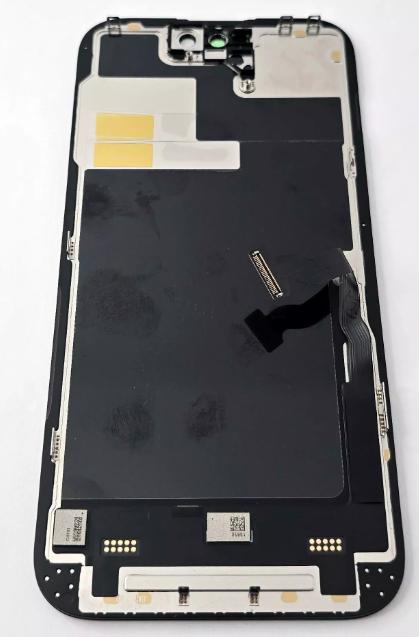
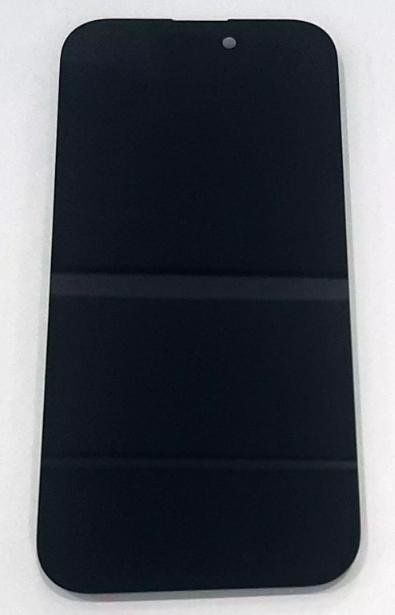
Display Hard Oled SP by iPhone 14 Pro A2889 A2890 A2891 A2892 A2650 with black touch screen No IOS warning
80123
New
Disponible


Volume discounts
| Quantity | Total amount | Price 1 unit |
|---|---|---|
| 5 | €209.15 | Price €41.83 |
SP Hard OLED Screen for iPhone 14 Pro A2889 A2890 A2891 A2892 A2650 with Black Touch Digitizer No iOS Warning Version |
|---|
The SP Hard OLED screen for Apple iPhone 14 Pro, models A2889, A2890, A2891, A2892 and A2650, is a black compatible replacement part featuring a rigid OLED panel and an integrated touch digitizer. It is designed to replace screens with broken glass, lines, spots, no image or touch response problems. Its self-emissive pixels provide deep blacks and high contrast without requiring LCD backlighting. This variant is commercially marketed as a no iOS warning version and facilitates repairs to the display and touch assembly in professional technical services and refurbishment operations.
Specifications |
|---|
- Compatible brand:Apple.
- Model:iPhone 14 Pro.
- Compatible technical models:A2889, A2890, A2891, A2892 and A2650.
- Screen technology:Hard OLED (rigid OLED).
- Size:6.1 inches.
- Panel structure:OLED with rigid substrate.
- Touch digitizer:integrated into the screen module.
- Color:black.
- Display:self-emissive pixels with deep blacks and high contrast.
- Function:image reproduction and touch response.
- Version:commercially marketed as a no iOS warning version.
- Component type:replacement OLED screen with touch digitizer.
- Quality:compatible SP Hard OLED.
Advantages |
|---|
The SP Hard OLED screen allows the iPhone 14 Pro display assembly to be replaced using a module that integrates the OLED panel and touch digitizer, facilitating repair operations. Its self-emissive pixel technology provides deep blacks and high contrast without requiring LCD backlighting. Compared with Incell alternatives, it maintains OLED display technology, while its rigid construction represents a replacement option at a reasonable cost compared with Soft OLED screens. The black front finish is designed to integrate into the device, and its configuration corresponds to the five identified technical variants. The commercial no iOS warning designation distinguishes this version within the SP range. It is a replacement part intended for workshops seeking to balance image quality, touch functionality and replacement cost.
Installation Tips |
|---|
- Switch off the iPhone 14 Pro and disconnect the battery before handling the screen connectors, using ESD antistatic protection.
- Carefully remove the damaged screen and disconnect its flex cables using appropriate tools.
- Carefully transfer the upper sensor assembly from the previous screen, preserving the components linked to the Face ID system.
- Align the SP Hard OLED screen connectors without applying excessive pressure or bending the flex cables.
- Temporarily connect the module and check the image, brightness, colors and touch response across the entire surface before final closure.
- Verify the operation of the proximity sensor and Face ID system after installation.
- Check the recognition of the installed screen and the Parts and Service History in iOS settings.
- Clean any adhesive residue from the housing and apply suitable new perimeter adhesive.
- Close the screen by applying uniform pressure around the perimeter to ensure proper attachment.
Technical Table |
|---|
Brand | Compatible Models | Technical Model | Component Type | Technology | Size | Color | Quality |
|---|---|---|---|---|---|---|---|
Apple | iPhone 14 Pro | A2889 / A2890 / A2891 / A2892 / A2650 | OLED screen with touch digitizer | Hard OLED | 6.1 inches | Black | SP Hard OLED, no iOS warning version |


