
No products
Prices are tax included
Product successfully added to your shopping cart
There are 0 items in your cart. There is 1 item in your cart.

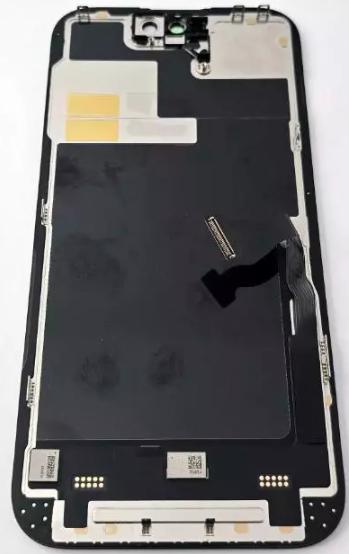
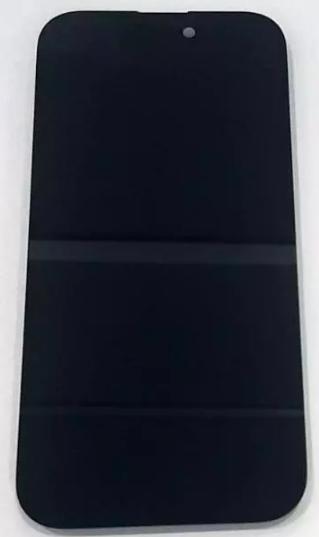
Display Incell FHD SP by iPhone 14 Pro A2889 A2890 A2891 A2892 A2650 with black touch screen No IOS warning
80135
New
Disponible


Volume discounts
| Quantity | Total amount | Price 1 unit |
|---|---|---|
| 5 | €142.05 | Price €28.41 |
SP FHD Incell Screen for iPhone 14 Pro A2889 A2890 A2891 A2892 A2650 with Black Touch Digitizer, No Warning in iOS |
|---|
The SP FHD Incell screen for Apple iPhone 14 Pro A2889, A2890, A2891, A2892 and A2650 is a black compatible replacement part featuring an LCD panel with Incell technology and an integrated touch digitizer. It is designed to replace screens with broken glass, no image, lines, spots or touch response problems. This SP FHD quality version is marketed as a no-warning screen for iOS and provides an economical alternative to OLED modules. Its 6.1-inch format is intended for repair shops and professionals needing to restore the device's image display and touch control functions.
Specifications |
|---|
- Component type:LCD screen with integrated touch digitizer.
- Compatible brand:Apple.
- Commercial model:iPhone 14 Pro.
- Compatible technical models:A2889, A2890, A2891, A2892 and A2650.
- Display technology:Incell LCD.
- Quality:compatible SP Incell FHD.
- Size:6.1 inches.
- Resolution classification:FHD.
- Color:black.
- Commercial version:no warning in iOS.
- Main function:image display and touch detection.
Advantages |
|---|
The SP FHD Incell screen for iPhone 14 Pro offers a repair solution that combines functionality with a more economical cost compared with OLED modules. Its Incell LCD technology integrates the display panel and touch layer into a single assembly, allowing both elements to be replaced during one repair operation.
The 6.1-inch format is intended for the iPhone 14 Pro front panel, and its compatibility covers regional variants A2889, A2890, A2891, A2892 and A2650, making it easier to identify the replacement part for devices sold in different markets.
Its black finish and SP FHD configuration make it a practical alternative for repair shops needing to repair damaged screens and offer customers a compatible option with a more affordable repair budget.
Installation Tips |
|---|
- Completely power off the iPhone and disconnect the battery before handling internal components.
- Use appropriate tools and electrostatic discharge (ESD) protection.
- Carefully remove the damaged screen, preserving reusable components and flex cables from the original assembly.
- Carefully transfer the components from the original assembly that must be retained during replacement.
- Correctly align the connectors and avoid bending or forcing flex cables during installation.
- Check the correct positioning of the module and its fit against the chassis.
- Test the image, brightness and touch response across the entire surface before closing the device.
- Check Face ID functionality and the corresponding sensors after the repair.
- Check the screen status in the iOS Parts and Service History section.
- Remove adhesive residue from the chassis and apply a suitable adhesive seal to complete the closure.
Technical Table |
|---|
Brand | Compatible Models | Technical Model | Component Type | Dimensions | Quality |
|---|---|---|---|---|---|
Apple | iPhone 14 Pro | A2889, A2890, A2891, A2892, A2650 | Black Incell FHD LCD screen with touch digitizer | 6.1 inches | SP Incell FHD |


