No products
Prices are tax included
Product successfully added to your shopping cart
There are 0 items in your cart. There is 1 item in your cart.

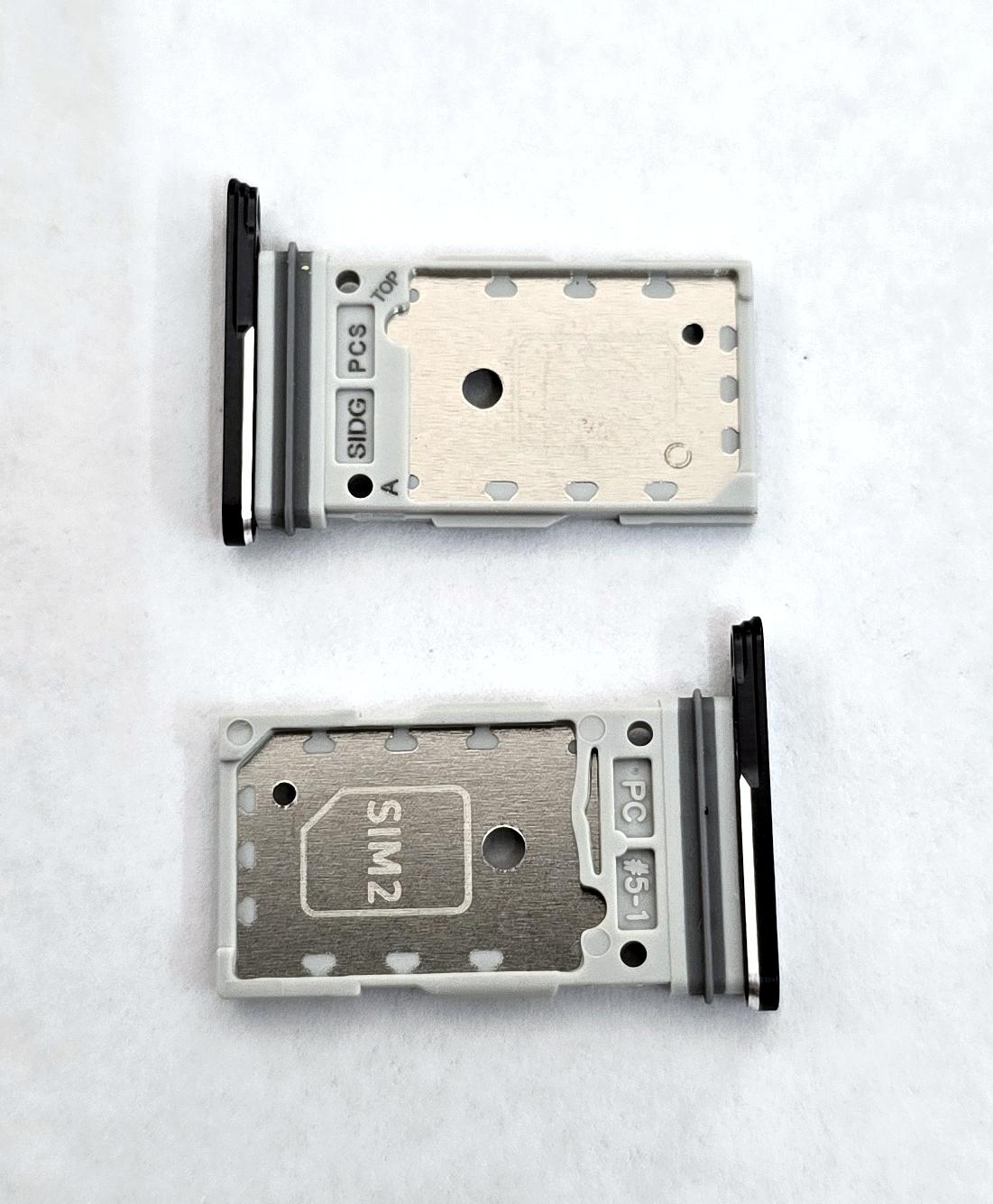
Sim tray black by Samsung Galaxy S26 Plus SM-S947 GH98-50887A Service Pack
80336
New
Disponible
Warning: Last items in stock!


Volume discounts
| Quantity | Total amount | Price 1 unit |
|---|---|---|
| 5 | €30.86 | Price €6.17 |
Black SIM Card Tray or Holder for Samsung Galaxy S26 Plus SM-S947 SM-S947B SM-S947B/DS GH98-50887A Service Pack |
|---|
The black Service Pack SIM card tray GH98-50887A for Samsung Galaxy S26 Plus 5G SM-S947, SM-S947B and SM-S947B/DS is the removable holder that accommodates two physical Nano SIM cards in compatible variants. Identified by the technical designation ASSY SIM TRAY-DUAL(PLUS)_ZK, it allows a missing, broken or deformed tray to be replaced without changing the internal SIM reader. Its black finish maintains the visual continuity of the external frame and facilitates card insertion and removal through the corresponding slot. This component is suitable for quick repairs and maintenance work performed by professional repair services.
Specifications |
|---|
- Brand: Samsung.
- Compatible model: Samsung Galaxy S26 Plus 5G.
- Technical models: SM-S947, SM-S947B and SM-S947B/DS.
- Part Number: GH98-50887A.
- Samsung technical designation: ASSY SIM TRAY-DUAL(PLUS)_ZK.
- Component type: SIM card tray or holder.
- Configuration: Physical Dual SIM.
- Card format: Nano SIM.
- Capacity: Two Nano SIM cards.
- Color: Black.
- Location: Bottom edge of the device.
- Function: Housing, securing and inserting SIM cards into the phone's internal reader.
- Quality: Samsung Service Pack.
Advantages |
|---|
The Service Pack SIM card tray GH98-50887A allows the damaged holder of the Samsung Galaxy S26 Plus to be replaced, restoring correct Nano SIM card positioning in the corresponding slot. Its Dual SIM configuration allows two physical cards to be installed in compatible variants while maintaining their position inside the device.
The black finish preserves the phone's uniform appearance, while the Samsung part number specifically identifies the replacement component corresponding to the Galaxy S26 Plus SM-S947B.
Replacement is a simple, localized repair that does not require removing the display or accessing internal electronic components. For repair workshops and professional technicians, it provides a practical solution when the previous tray is broken, deformed or missing, allowing only the affected component to be renewed while preserving the existing SIM reader.
Installation Tips |
|---|
- Turn off the device and use ESD protection before replacing the component.
- Locate the SIM card tray on the bottom edge of the Samsung Galaxy S26 Plus.
- Insert the ejector tool perpendicularly into the corresponding hole to release the tray.
- Carefully remove the existing holder and check that the slot is clean and free from debris.
- Position the Nano SIM cards in their corresponding slots, following the indicated orientation with the metal contacts facing upwards.
- Insert the new GH98-50887A tray straight and evenly without forcing it into the slot.
- Check that the tray is fully inserted and aligned with the device's outer edge.
- Turn on the phone and verify SIM card recognition and mobile network connectivity.
Technical Table |
|---|
Brand | Compatible Model | Technical Model | Part Number | Component Type | Configuration | Color | Quality |
|---|---|---|---|---|---|---|---|
Samsung | Galaxy S26 Plus 5G | SM-S947 / SM-S947B / SM-S947B/DS | GH98-50887A | SIM card tray or holder | Dual Nano SIM | Black | Service Pack |