No products
Prices are tax included
Product successfully added to your shopping cart
There are 0 items in your cart. There is 1 item in your cart.

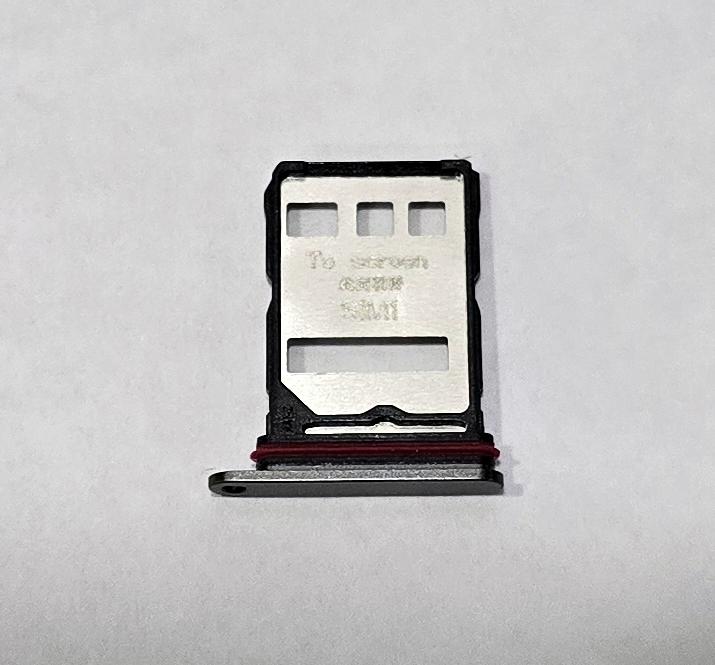
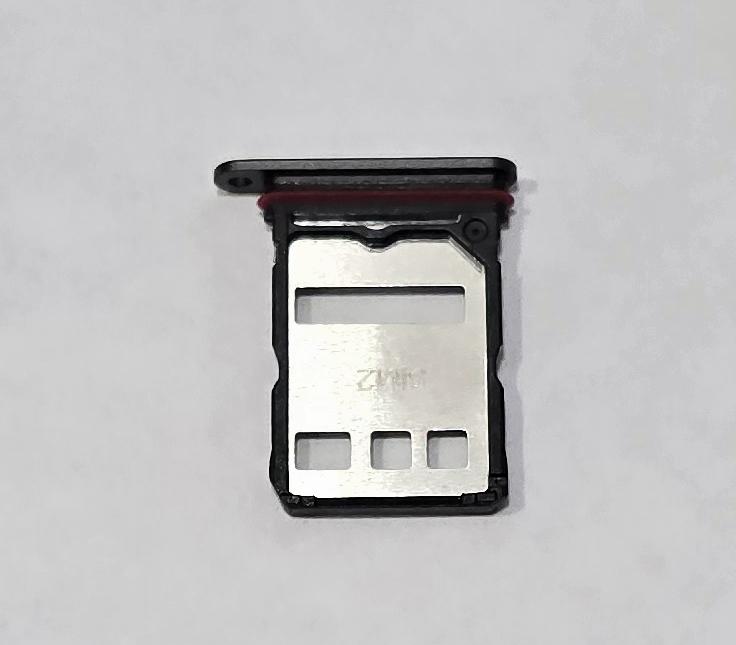
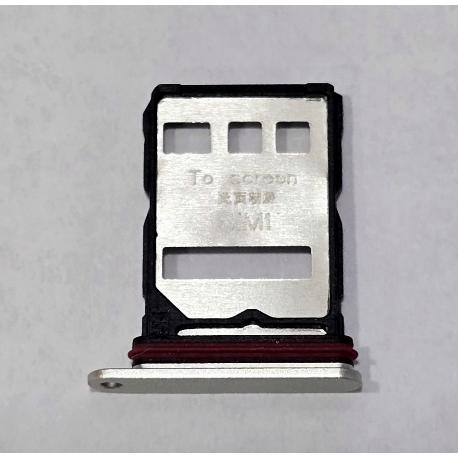
Sim tray black by Honor 600 Honor 600 Pro 5167AAUV Service Pack
80354
New
Disponible


Volume discounts
| Quantity | Total amount | Price 1 unit |
|---|---|---|
| 5 | €12.22 | Price €2.44 |
Black SIM Card Tray or Holder for Honor 600 VKJ-NX9 Honor 600 Pro VKP-NX9 5167AAUV Service Pack |
|---|
The Service Pack SIM card tray or holder for Honor 600 5G VKJ-NX9 and Honor 600 Pro 5G VKP-NX9, with part number 5167AAUV, is a black replacement component designed to correctly accommodate the SIM card in the device. It allows a lost, broken, deformed or worn tray to be replaced, restoring the functionality of the card compartment. Its specific design facilitates SIM card insertion and removal, while the black finish maintains the exterior appearance of compatible models. This replacement component is intended for maintenance and repair operations in professional technical service centers.
Specifications |
|---|
- Brand: Honor.
- Compatible models: Honor 600 5G and Honor 600 Pro 5G.
- Compatible technical models: VKJ-NX9 and VKP-NX9.
- Manufacturer part number (Part No): 5167AAUV.
- Quality: Service Pack.
- Component type: SIM card tray or holder.
- Color: black.
- Design: adapted to the SIM compartment of compatible models.
- Function: accommodate and keep the SIM card correctly positioned inside the device.
- Application: replacement of damaged, deformed, worn or lost SIM trays.
Advantages |
|---|
The Honor Service Pack 5167AAUV SIM tray provides a specific replacement solution for the Honor 600 and Honor 600 Pro, allowing the card compartment to be restored without requiring intervention on other internal components. Its design is adapted to the corresponding slot, promoting precise positioning and stable SIM card retention. The black finish preserves the uniform appearance of the housing and provides suitable visual integration. Shared compatibility between both models simplifies replacement identification and part number management in repair workshops. Replacement can be performed without removing the screen or rear cover, simplifying maintenance operations when only the card holder needs to be replaced.
Installation Tips |
|---|
- Turn off the device before removing the SIM tray.
- Use a suitable SIM ejector tool to release the holder without damaging the mechanism.
- Remove the SIM card from the previous tray and check that it is clean and in good condition.
- Correctly position the SIM card in the new tray, respecting its orientation.
- Insert the tray in proper alignment without forcing the insertion mechanism.
- Check that the holder is correctly seated and that its exterior finish fits the device's contours.
- Turn on the phone and verify that it recognizes the SIM card and establishes a mobile network connection.
Technical Table |
|---|
Brand | Compatible Models | Technical Model | Part Number (Part No) | Component Type | Color | Quality |
|---|---|---|---|---|---|---|
Honor | Honor 600 5G, Honor 600 Pro 5G | VKJ-NX9, VKP-NX9 | 5167AAUV | SIM card tray or holder | Black | Service Pack |