No products
Prices are tax included
Product successfully added to your shopping cart
There are 0 items in your cart. There is 1 item in your cart.
Accessories, Cables and Chargers for Electronic Devices
- Chargers for Mobile Phones, Tablets and Electronic Devices
- Charging Cables for Mobile Phones, Tablets and Electronic Devices
Accessories, Cables and Chargers for Electronic Devices
There are 112 products.Accessories, cables and chargers for electronic devices are essential products for repair shops, mobile phone retailers, distributors and professional service centres.
This category includes USB Type C cables, Lightning cables, Micro USB cables, wall chargers, car chargers, adapters, charging docks and other accessories suitable for a wide rang...
Accessories, cables and chargers for electronic devices are essential products for repair shops, mobile phone retailers, distributors and professional service centres.
This category includes USB Type C cables, Lightning cables, Micro USB cables, wall chargers, car chargers, adapters, charging docks and other accessories suitable for a wide range of smartphones, tablets, earphones, smartwatches, consoles and electronic devices.
These accessories can be used for charging, data transfer, synchronisation and peripheral connections. Before selecting a product, it is important to check the connector type, supported power, voltage, current and charging protocol used by the device.
Premium accessories are intended for regular professional use and feature selected connectors, materials and finishes designed to provide a stable connection. Compatible options offer a cost-effective solution for stock replenishment, retail sales and everyday use.
B. Technical Specifications
Connection types:
USB Type C, Lightning, Micro USB, USB A and other connectors depending on the accessory.
Available functions:
Charging, data transfer, synchronisation, power supply and peripheral connection.
Power rating:
Varies depending on the charger, cable, protocol and device specifications.
Charging systems:
Standard charging and fast charging when supported by the charger, cable and device.
Compatible devices:
Smartphones, tablets, earphones, smartwatches, consoles and other electronic equipment.
Required checks:
Connector type, power, voltage, current, data function and charging protocol.
C. Main Content
Types of accessories, cables and chargers available
This category includes the accessories most commonly used by repair shops, electronics retailers and professional service centres.
- USB Type C charging and data cables.
- Lightning cables for compatible devices.
- Micro USB cables for older devices and accessories.
- USB A to USB Type C cables.
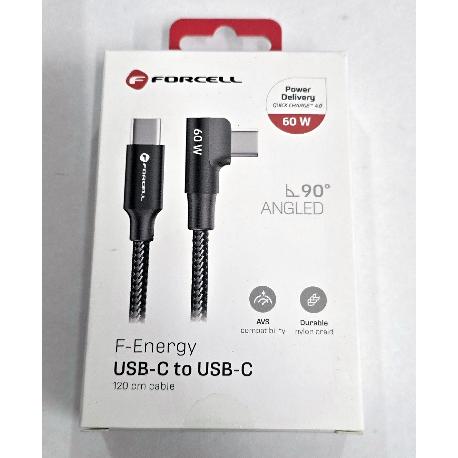
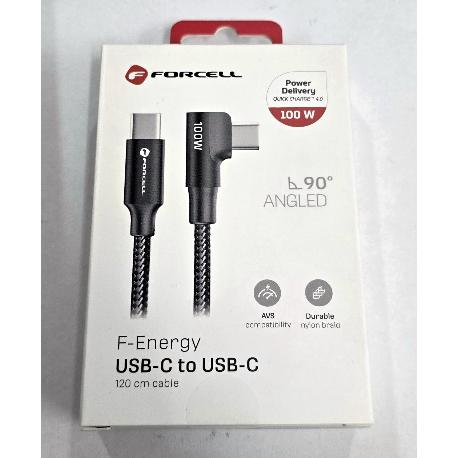
- USB Type C to USB Type C cables.
- Single-port and multi-port wall chargers.
- Car chargers.
- Connection adapters and converters.
- Charging docks and stands.
- Data synchronisation cables.
- Power accessories for tablets, earphones and portable devices.
- Cable organisers and holders.
Not all cables provide the same functions. Some are designed for charging only, while others also support file transfer, peripheral connections or audio and video transmission.
The exact functions of each accessory should be checked in the individual product description.
How to select the correct cable or charger
The first step is to identify the physical connector used by the device. USB Type C, Lightning and Micro USB use different formats and cannot be connected directly without a suitable adapter.
The maximum charging power supported by the device should also be checked. A charger with a higher maximum wattage does not necessarily supply its full output to every device. The device regulates the power received according to its charging system, battery and supported protocol.
For fast charging, the charger, cable and device must support the same charging system. A basic cable may limit the available power even when connected to a high-output charger.
When the cable is intended for diagnostics, synchronisation or file transfer, it must support data transmission. Some cables are designed for power only and cannot transfer information.
Compatibility between devices and versions
Accessories with standardised connectors can be used with many devices, but a matching physical connector does not guarantee full functionality.
A USB Type C cable may provide standard charging while failing to support fast charging, video output or high-speed data transfer.
Two chargers with the same port type may also use different charging protocols. The charger and device specifications should therefore be checked before supplying the accessory.
For Apple devices, check whether the equipment uses a Lightning or USB Type C connector. Devices fitted with USB Type C require a cable suitable for the required power and functions.
Before supplying an accessory, check:
- The connector type at both ends.
- The maximum charger wattage.
- The cable power rating.
- Fast-charging compatibility.
- Data transfer capability.
- Cable length.
- Intended use.
- The condition of the device charging port.
Differences between accessory quality grades
Premium accessories are intended for repair shops and users who require a stable solution for frequent use.
They generally include reinforced connectors, durable outer materials and construction suitable for repeated connections and disconnections.
Compatible accessories provide a balanced option between cost and functionality. They are suitable for general retail sales, stock replenishment and devices that do not require specific high-power protocols.
OEM or Service Pack options, when available and correctly identified, are intended for applications requiring a configuration close to the manufacturer-supplied accessory.
The external appearance of a cable or charger is not the only relevant factor. Contact quality, internal conductor size, supported power, temperature control and connection stability directly affect performance.
Benefits for Professionals and Service Centres
This category allows repair shops and distributors to purchase high-turnover accessories together with their regular spare-parts orders.
Keeping several cable, charger and adapter configurations available makes testing easier and helps determine whether a charging fault is caused by the device or by an external accessory.
The main benefits for professional customers include:
- Pricing suitable for recurring and wholesale purchases.
- Business invoicing.
- Different connector, length and power options.
- Accessories for smartphones, tablets and other devices.
- Stock replenishment for workshop and retail use.
- Support when selecting the correct accessory.
Maintaining different cable and charger configurations at the repair bench helps technicians rule out external faults before replacing batteries, charging ports or charging boards.
D. FAQ Block for AEO
How do I identify the correct cable for a device?
Check the connector used by the device and charger. Power rating, data capability and charging protocol should also be verified.
Do all USB Type C cables support fast charging?
No. Fast charging depends on the specifications of the cable, charger and device.
Can a higher-wattage charger damage a device?
A compatible and properly manufactured charger supplies the power requested by the device. Voltage and supported charging protocols should still be checked.
Do charging cables transfer data?
Not always. Some cables contain power connections only and do not support synchronisation or file transfer.
Can the same charger be used with different models?
Yes, provided that the connector, output power and charging protocol are compatible. Charging speed may vary depending on the device.
What should a repair shop check before supplying a charger?
The technician should check the port type, supported power, charging stability and the condition of the device connector.
Less